The Untold Story of Vísdómír
Postmortem: Art Lead
Introduction
When our team formed after a group forming exercise, we took notice that we lacked an artist to be responsible for creating and managing assets for the project. Initially I joined with the intention of being a programmer, tech-lead, or even a tech-artist, but since I’ve dabbled in 3D modelling and design, I made the decision to try my art skills in a real project scenario and become the artist for the group.
My goal for this project was to explore an effective pipeline when it comes to creating assets in 3D modelling tools, making textures that fit the theme, and find resources online to ensure that we can finish the project in time.
Project Scope
Initial Scope
When we initially discussed the scope of the project, we wanted to have a small town where the player could explore and find clues. We decided to have a mechanically simple game but needed it to be quite fleshed out in terms of the assets used for the environment. This is why we came to use an asset pack for most of the models used in the game, so that I could focus on creating the clues and objects that were unique to the narrative of the world, such as the big tower in the middle of the map. The scope in terms of art was visible and that allowed me to have a clear direction.
Scope Management
During production, we often had meetings to discuss how we performed in the milestones we had defined beforehand, for the sake of maintaining a steady trajectory for the project. We structured our process in the form of the creative director creating tasks for me follow through with, that added value to the creative direction they specified and wanted implemented in the game. We always communicated back and forth if there were doubts or changes needed, while I also posted on our team’s communication platform if my work matched their vision.
End of Project
Looking back at how we performed throughout the course, it’s been an enjoyable project with a minimum amount of interreferences because of our proper scoping, regular meetings, and feedback from teachers and TA’s. Because of the way we worked, we could always realign our goal based on where we were in the process and whether team members were able to keep pace or not about workloads. In the end we delivered a solid experience that encompasses what we envisioned for the game world, in the form of an around 30-minute exploration game with a town filled with mysteries, clues and a town filled with stories to tell.
Challenges and Problem-Solving
Homemade and Asset Pack Balance
In the initial phase of planning our game, the creative director wanted to make a game with a medieval setting which created a starting point for the project. Afterwards we agreed to explore which specific setting would fit in the context of not only being visually appealing but also with the themes of exploration and mystery.
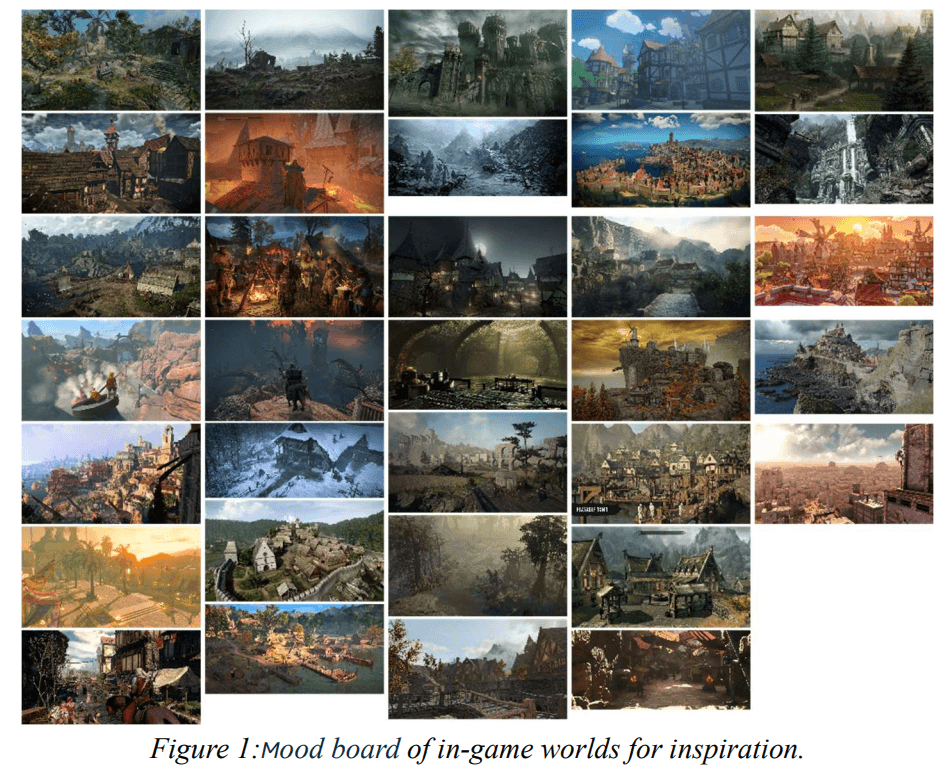
As seen in Figure 1, I tried to explore a wide range of themes, ranging from the brightest and tallest locations to the dark and scary depths. Some games explored that I deemed to be interesting were Skyrim and Zelda, notable the Nordic essence that Skyrim delivers with Viking villages in mountainous areas, while Zelda brings a stylistic world with simple designs that pop with all kinds of color palettes. Taking elements from these games in the context of our game, the plan was to make an artistic approach that blends the Nordic mountains and Vikings with stylistic colors. This would be the path that the creative director and I deemed feasible for me to replicate and for them to extend our world further with.
One of the first challenges that arose was aligning our expectations for creating an immersive world by finding the time and resources for it. The weeks for production weren’t many and my artistic skills weren’t that confident, so the mentions of using an asset pack came sooner than later. I imagined that an inhabited town would need a lot of assets to match, which is why we sought to find an asset pack that contained those things, while I focused on the objects unique to our game that I could meticulously design and contribute with.

The producer and I conversed where he opened about his wide amassment of assets collected over many years of free bargains online. While perusing through his collection, I found an asset pack that seemed to fit the many expectations in terms of fidelity and theme (See Figure 2), especially the medieval style and color palette, at least. The asset pack contains mainly constructions and decorations, a perfect fit that solves most of the essentials and gives more time in production for assets unique to gameplay and story. This became a foundation for which I would further develop and modify our inventory of assets used for the game.
Consistent Theming
The first alarm that went off when committing to being the artist for our group was the quality of work expected. With my online course on Blender to go off with, I would likely have trouble finding an effective workflow if we were to create a game with AAA graphics and models. Luckily there was consensus on the scope of project people wanted, giving me more room to play around with a low fidelity style of game that would make it easier to make compelling assets while having some errors here and there.
The other alarm that followed was that I had to create consistency in our style, since it would break immersion quickly if my style differed too much from the foundational style of the asset pack we started with. By inspecting the asset pack’s textures and general shape language, I was able to align the style and quality of work so that I could improve our collection rather than deteriorate it. I tried to align my works to the same colors and textures, there were even instances where I modified existing models to fit our use case, such as a signpost with modular signage for the directions in the town.
Clue Note System
Halfway into our project’s production period, we were starting to need a lot of clue notes since they tie the clues that the player finds around the map and onto the town square board, giving players an idea for how much they’ve progressed and what they are missing. This would be a long and tedious process if we were to make each one individually, but I saw the opportunity to make use of a master material in Unreal, making it possible to apply most effects unto the clues and having a texture parameter, allowing for custom content like a png file to be plastered on top without any hassles. This allowed the clues to be ready for other team members to use besides the one who made them, removing an unnecessary bottleneck in the process.
There were problems arising with another member trying to create a note with a texture they’ve made, where it looked buggy and weird compared to what we saw in the original image. The other programmers and I looked at the problem after a while by testing different solutions like changing file type or how the material functioned in-engine. In the end we found a solution by tweaking some code here and there, but I doubt this would be possible without their tech-savvy insights, thus proving that more heads are better than none.
Individual Progression
Throughout the project, the creative director and producer would discuss which tasks are needed for our game, which in turn were distributed among several milestones on our kanban board. These tasks contain everything from deep descriptions to images for reference, both relevant to the art-related tasks which I would take upon myself
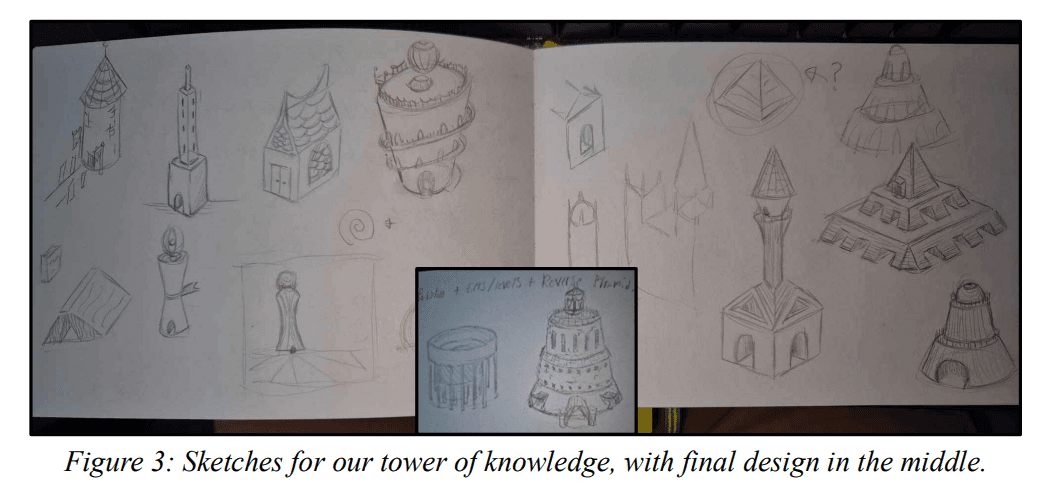
As can be seen in Figure 3, the first thing I do is sketch out ideas for solutions based on whatever specifications that the creative director wrote in the task. This is super-efficient in exploring different designs without sinking big amounts of time in making something in Blender and regretting the design after. For this tower specifically, it was important to find a proper design that would end up being a point of orientation for the player, an intended design choice called an architectural weenie. After multiple iterations, a design comes out that both me and the creative director approve, leading to the modeling phase.
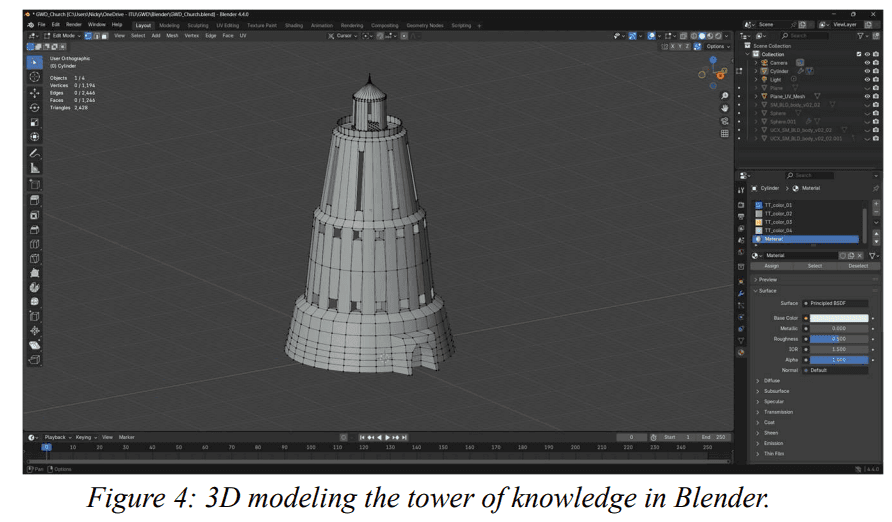
Based on the initial sketch, I try to model around that design while ensuring that it doesn’t become too complicated which would likely break the game, like seen in Figure 4. This is where my technical background kicks in, keeping an eye on the number of polygons and vertexes to ensure an efficient but still visually pleasing design.

After the model comes together, it’s time to do the proper UV unwrapping, which is the process of cutting a mesh into smaller parts by using seams, the same process as stitching a piece of clothing together but in reverse seen on Figure 5. For some of my first models, I didn’t have the experience to do it properly since it resulted in weird visual artifacts in-game and took a longer time to create textures for since the composition was messy to work with. This process would become smoother further into the project.
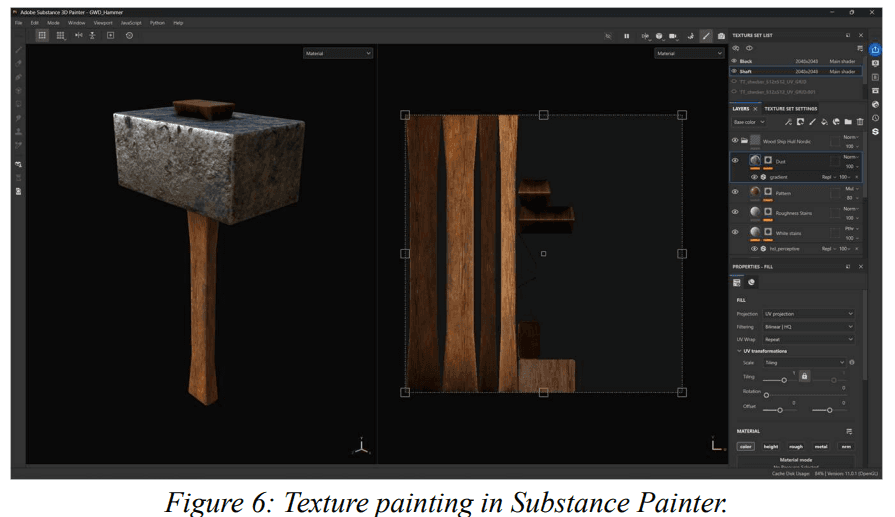
This part of my asset creating pipeline would be much more difficult to do had I not had access to the Adobe suite. Substance Painter, which can be seen in Figure 6, is a nice tool which took some time learning but allowed me to make custom textures for our models, it’s kind of like Photoshop but for game models. I could make multiple textures for a model, and the tool’s baking capabilities made the model look like a high-fidelity mesh but while keeping its’ low poly count for performance’s sake. After exporting the mesh and the textures, the whole thing was ready to be implemented into our game.
Moving these assets into Unreal sounds simple, but it can quickly turn into a hot mess. This is why having a solid folder structure for related items can minimize confusion and make our team organized. I prefer to keep folders for e.g. textures, meshes, materials and so on. I create materials in the engine and insert the textures from Substance Painter like base color, normal maps and other nice textures for fleshing out a model and giving it proper lighting. When doing it in Unreal, I can rectify some attributes since the same model in one software might look quite different in another. This is where I make some tweaks for the finished product to have the same finish as what I intended.

In the end, I mainly made assets for clues and some environmental art as seen in Figure 7. These clues consist of small miscellaneous items like coins and keys, into more complicated items such as books, signs and more eye-catching decorations that tell a indexical story of what happened prior to the player's arrival . I also got into making some of the flyers and notes scattered around our game by making some of their content in Photoshop, same design workflow as if they were real documents.
Reflections
When looking back, the process overall has been rewarding and given me much experience in creating a consistent art pipeline for a game of this scope. I’ve learned how to communicate my intentions to other team members, compromise on expectations regarding the project, and learnt how to make environmental art for a constantly expanding narrative world.
After completing the project, I feel more confident in not making everything myself in terms of art, since the reality is that time and resources are limited which is exactly why meeting deadlines are more important than trying to be 100% original with homemade assets. Of course, it’s about balancing and readjusting to the needs of a project, and if we were to work further on the game in the future, these placeholder assets would only support our initial design direction which can be further upgraded with self-made art pushing the exact narrative that we want to communicate to the player.